
Abusing Sudo
In Linux systems, the /etc/sudoers file dictates user privileges, specifying which users can execute commands with elevated (root) permissions.
Understanding Sudoers Misconfigurations: A Gateway for Privilege Escalation
In Linux systems, the /etc/sudoers file dictates user privileges, specifying which users can execute commands with elevated (root) permissions. Misconfigurations in this file can inadvertently grant unauthorized users the ability to escalate their privileges, potentially compromising system security.
Identifying Misconfigurations
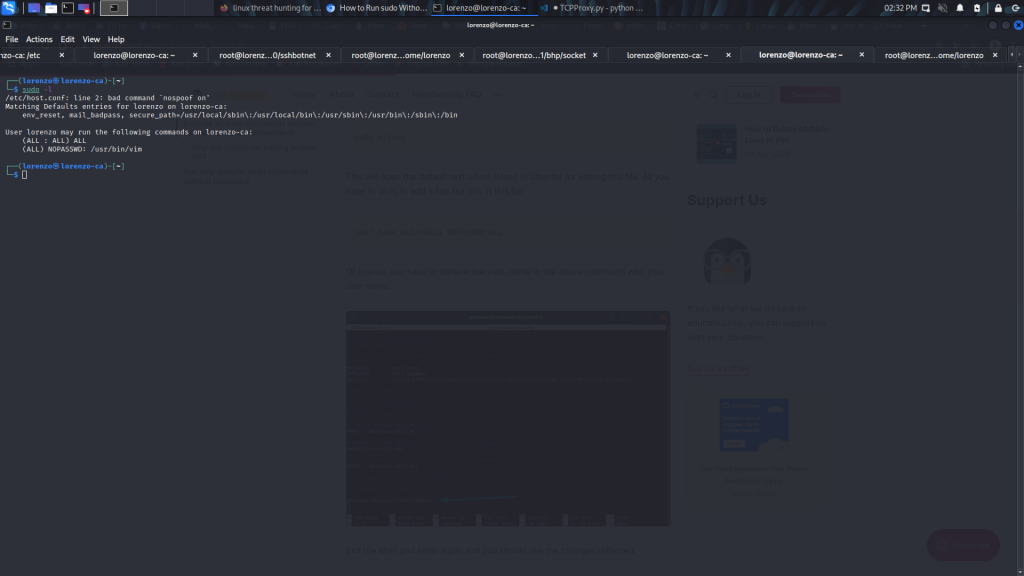
To assess your sudo privileges, execute:
sudo -l
This command lists the allowed (and denied) commands for your user. If you notice entries like:
(root) NOPASSWD: /usr/bin/vim
It indicates that you can run vim as root without a password prompt.
Exploiting the Misconfiguration
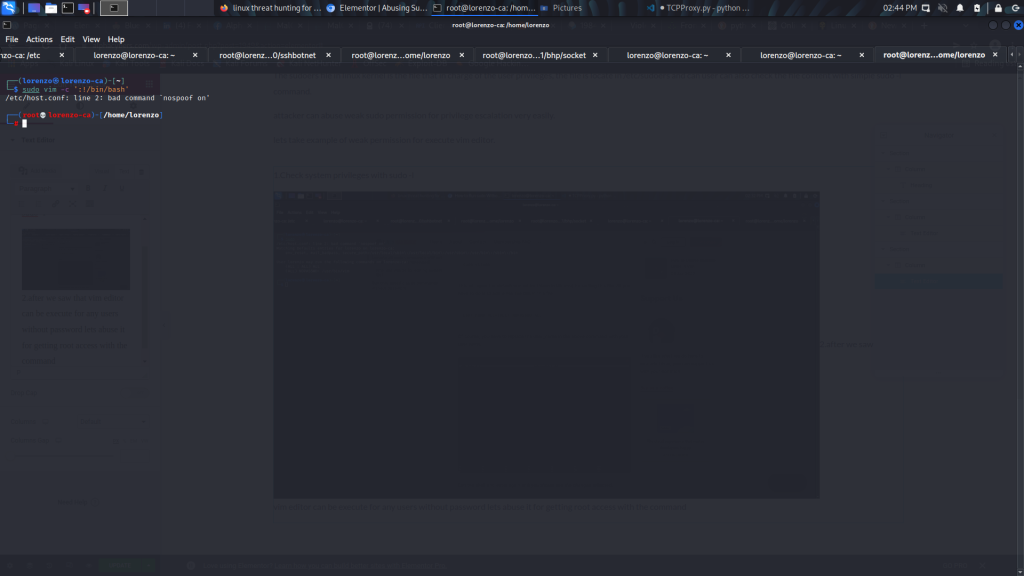
With the above permission, you can spawn a shell with root privileges using:
sudo vim -c ‘:!bash’
This command opens vim, then immediately executes a bash shell, granting you root access.
Mitigation Strategies
To prevent such vulnerabilities:
Review Sudoers Configuration: Regularly audit the /etc/sudoers file for unintended permissions.
Limit Permissions: Avoid using NOPASSWD unless absolutely necessary.
Use sudoedit for File Editing: Prefer sudoedit over direct editing commands like vim to minimize risks.
Apply the Principle of Least Privilege: Grant users only the permissions they need to perform their tasks.
By adhering to these practices, you can significantly reduce the risk of privilege escalation through sudo misconfigurations.