Credential Theft to Ransomware: The Arkana Group’s New Tactic on WoW
In a sophisticated cyberattack that rocked WideOpenWest (WoW), the Arkana Ransomware Group used a subtle yet dangerous strategy that started with an infostealer infection.
The Lethal Pipeline: From Stolen Cookies to Enterprise Ransomware
In a sophisticated cyberattack that rocked WideOpenWest (WoW), the Arkana Ransomware Group used a subtle yet dangerous strategy that started with an infostealer infection. This breach is a cautionary tale for organizations that think they’re safe because they haven’t been directly targeted by traditional ransomware campaigns. The attack was traced back to data harvested from an infostealer, marking a growing trend where credential theft becomes the gateway to larger-scale, more destructive cybercrimes.
Let’s break down how the Arkana Ransomware Group used an infostealer to execute this attack, the significance of these types of breaches, and how you can prevent similar threats.
How the Attack Unfolded: Infostealer Infection as the Entry Point
The attack on WoW didn’t start with a direct ransomware installation. Instead, the infostealer malware silently infiltrated WoW’s systems, capturing sensitive information like login credentials and network details. This critical data was then sold or used to gain access to more secure areas of the network.
Infostealers are often the initial step in a multi-phase attack, especially in targeted ransomware campaigns. They’re designed to:
Harvest user credentials for email, remote desktop systems, and VPN access.
Monitor network traffic, identifying high-value targets and vulnerabilities.
Bypass traditional security measures that focus more on blocking known malware and exploits.
The Arkana group was able to pivot off this initial data to escalate their attack, leading to a ransomware deployment that locked WoW out of critical systems and demanded a ransom payment to restore access.
From Infostealer to Ransomware: The Arkana Group’s Tactics
Once the infostealer had done its job of collecting sensitive data, Arkana used this information to escalate the attack:
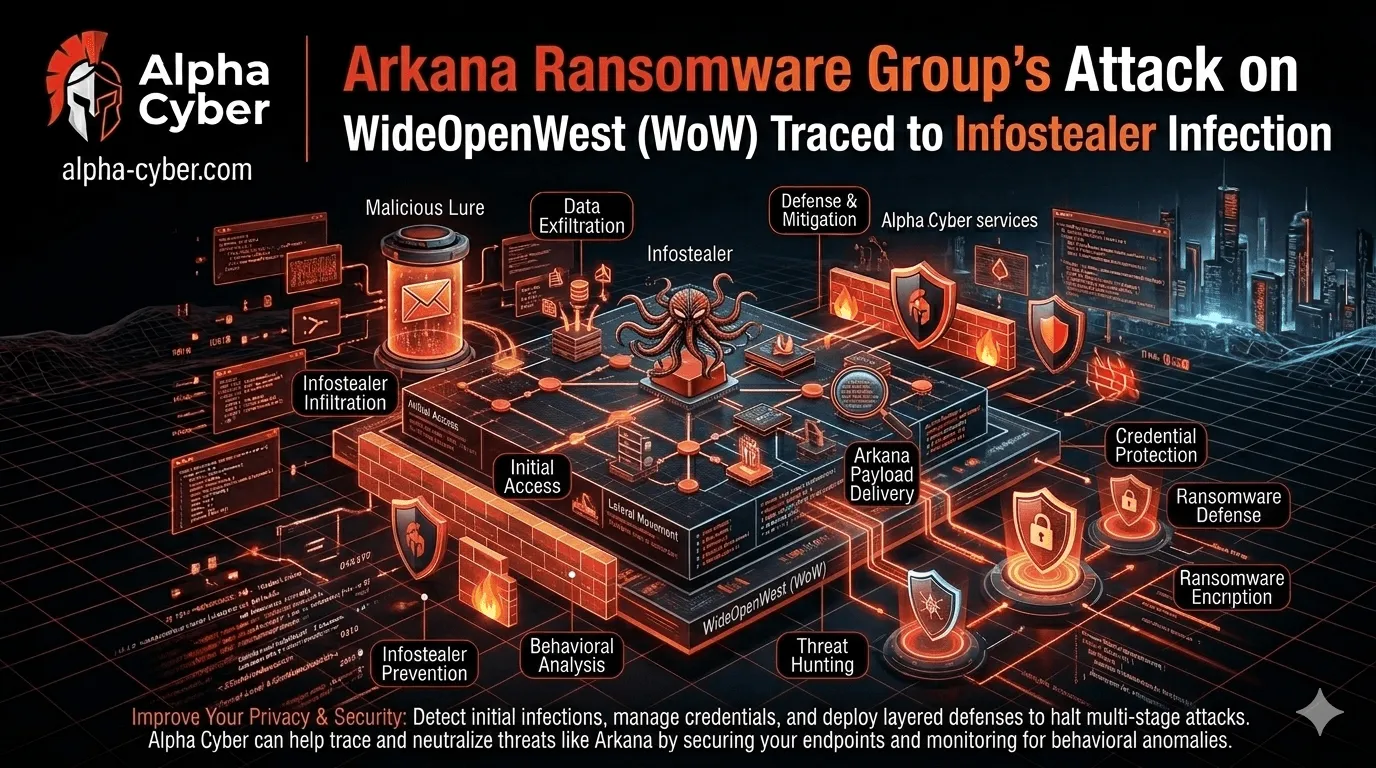
Initial Access: The infostealer gains entry, often via phishing emails or compromised websites, and silently harvests login credentials, internal communications, and other sensitive data.
Data Exfiltration: This stolen data is used to map out the network, identifying key systems, valuable intellectual property, or access credentials for higher-value targets.
Lateral Movement: Arkana then leveraged the exfiltrated information to move laterally through WoW’s network, escalating privileges and finding critical systems to deploy their ransomware.
Ransomware Deployment: With full access to WoW’s network, the ransomware was deployed, encrypting files and locking systems, effectively shutting down operations until a ransom was paid.
Ransom Demand: Finally, Arkana demanded a ransom in exchange for the decryption key, using the stolen data to amplify the pressure on WoW to comply.
Arkana Ransomware Indicators of Compromise (IOCs) to Block
To defend against similar threats, it’s crucial to stay on top of the indicators of compromise (IOCs) associated with Arkana’s attacks. Below is a table of IOCs that businesses should block to protect their networks from ransomware campaigns like Arkana’s:
| IOC Type | IOC Value |
|---|---|
| FileHash-MD5 | 1a0e3b24a57f31c796adfd22860e0bcf |
| FileHash-MD5 | 29412d5502f06cafba5402d1822d8949 |
| FileHash-MD5 | 391fba9ebab24ca88123109925b2d3ee |
| FileHash-MD5 | 568be875e2614d29a9e09851de83b098 |
| FileHash-MD5 | 93ff25071481908a17c7ec84f799a654 |
| FileHash-SHA1 | 93536d3ddc50a02018f69976cd9e9d1ecea6c55 |
| FileHash-SHA1 | 9bd26e21c24a31fe7e827c2909f935c9595492c9 |
| FileHash-SHA1 | e8d852019fd6fd55dbd5925f1fac07f03ccf71e0 |
| FileHash-SHA256 | 4c9e60cc73e87da4cadc51523690d67549de4902e880974bfacf7f1a8dc40d7d |
| FileHash-SHA256 | adba005a3b16e2b8451dc87c3eaa2708c74debf559ec6280a529f588895254b4 |
Blocking these IOCs will significantly improve your chances of detecting and stopping Arkana-related attacks before they can cause widespread damage.
VirusTotal Analysis: Detecting Malicious Files
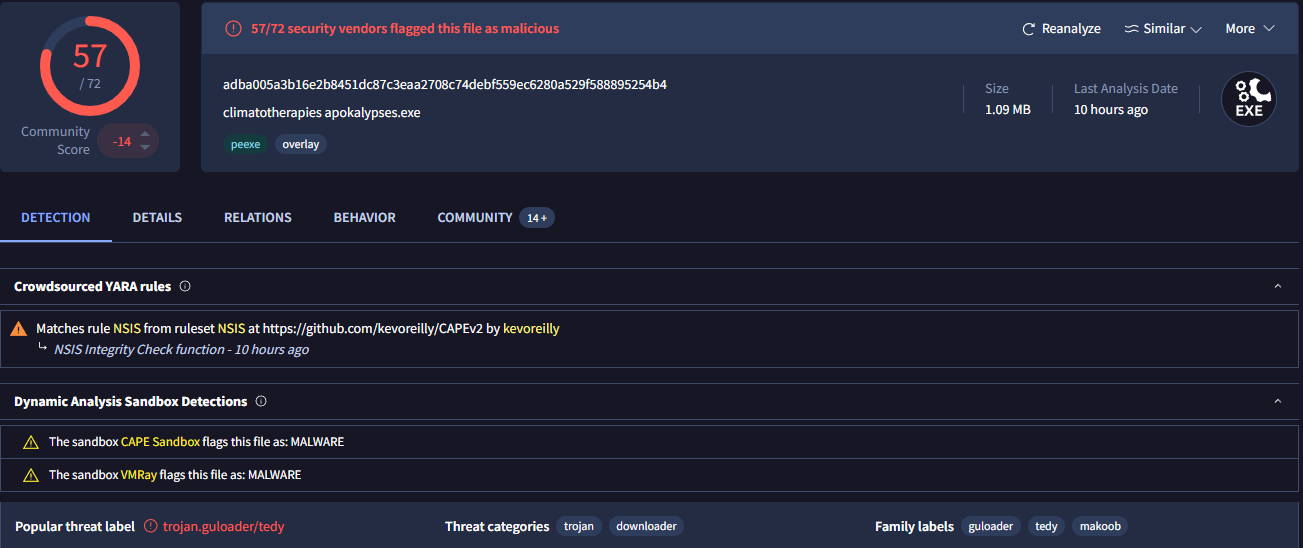
For further validation of the malicious nature of Arkana’s tools, here’s an analysis of one of the key malware files detected in the attack:
File: climatotherapies apokalypses.exe
MD5: 1a0e3b24a57f31c796adfd22860e0bcf
SHA-1: 193536d3ddc50a02018f69976cd9e9d1ecea6c55
SHA-256: adba005a3b16e2b8451dc87c3eaa2708c74debf559ec6280a529f588895254b4
Size: 1.09 MB
File Type: Win32 EXE executable
Detected By: 57/72 security vendors flagged this file as malicious
The file was flagged as a Trojan Guloader/Tedy by several sandboxes and detection engines, and contains malicious payloads used in the Arkana ransomware attack.
Here are the relevant details:
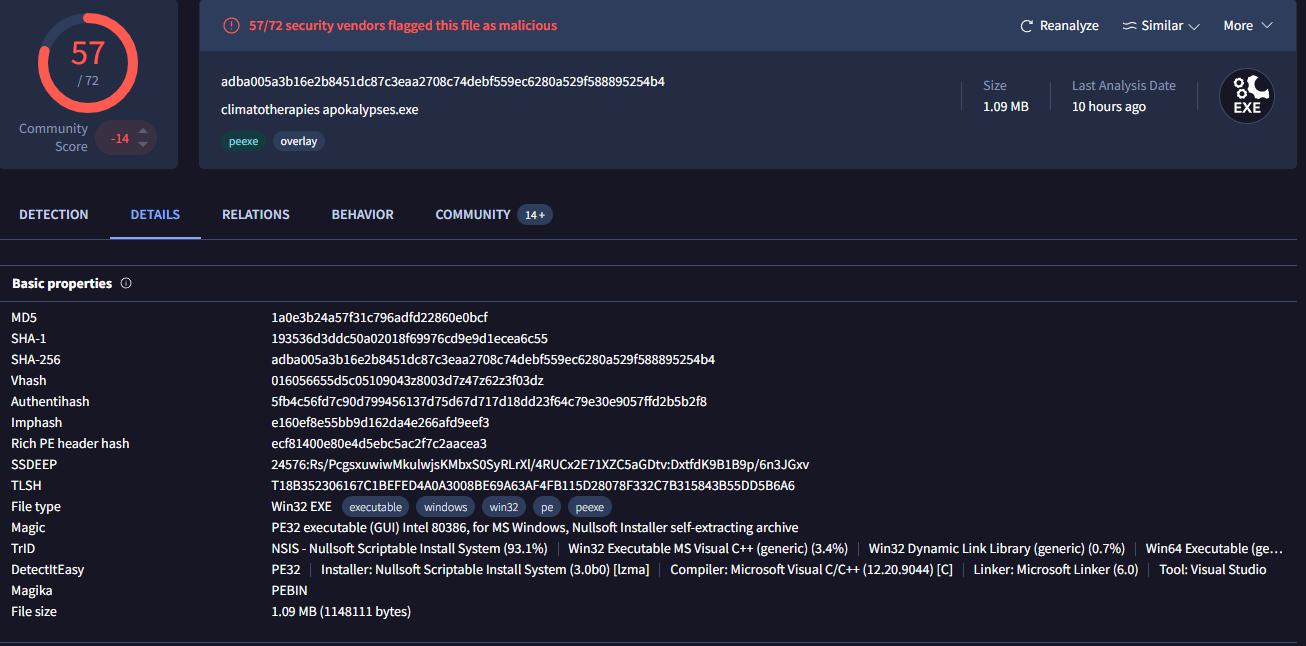
File Type: PE32 executable (GUI), Intel 80386, for MS Windows
, Nullsoft Installer self-extracting archive
Detection: Flagged by multiple security vendors, including CAPE Sandbox and VMRay, as malware.
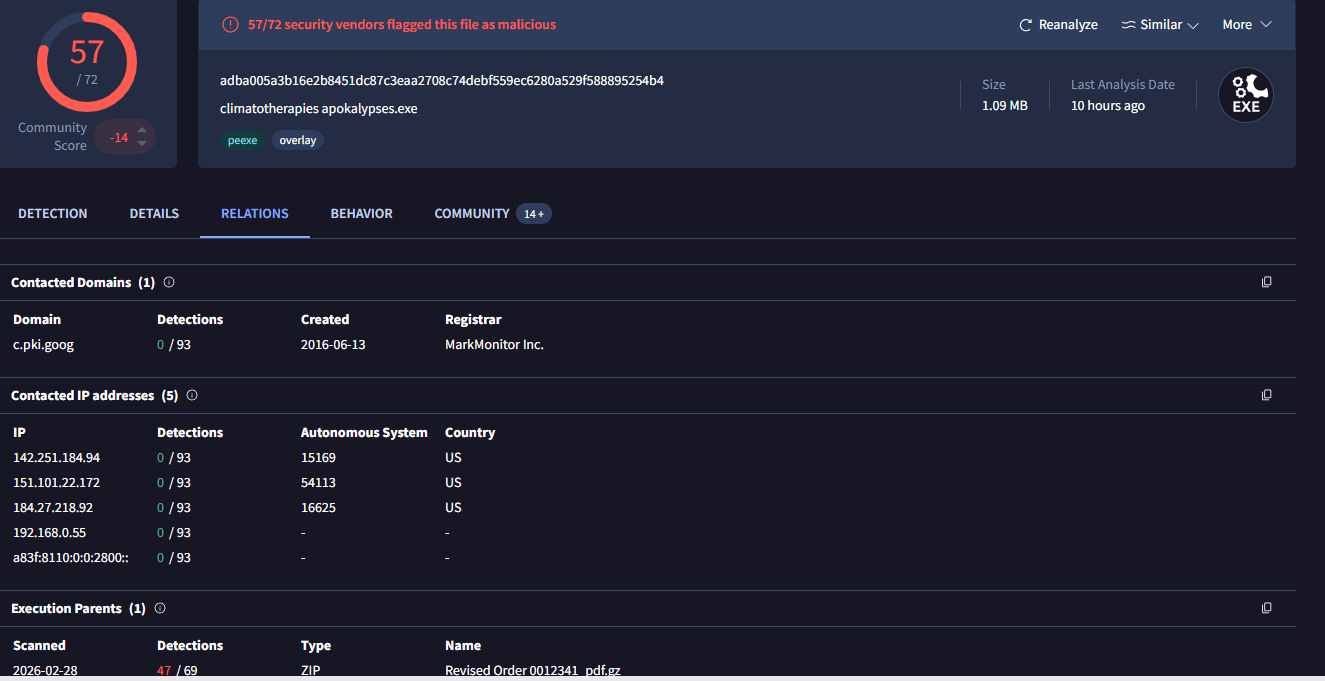
Related Domains and IPs:
Contacted Domain: c.pki.goog
Contacted IPs: 142.251.184.94, 151.101.22.172, 184.27.218.92, 192.168.0.55, and a few IPv6 addresses.
Detection and Mitigation: How to Safeguard Your Network
1. Detecting Infostealer Activity on Windows
To detect an infostealer infection on Windows, follow these steps:
Check for unusual processes:
Get-Process | Where-Object { $.CPU -gt 50 -or $.WorkingSet -gt 500MB } | Format-Table –AutoSizeScan for persistence mechanisms:
reg query HKCU\Software\Microsoft\Windows\CurrentVersion\Run
reg query HKLM\Software\Microsoft\Windows\CurrentVersion\RunAnalyze network connections:
netstat –ano | findstr ESTABLISHED
2. Linux-Based Detection (Sysmon/Osquery Alternative)
Check for suspicious cron jobs:
crontab -l
ls -la /etc/cron.*Monitor active connections:
ss -tulnp | grep ESTABHunt for hidden processes:
ps aux | grep -E “(curl|wget|nc|ncat|socat|sh -i)”
3. Mitigation Steps
If an infostealer infection is detected, follow these mitigation steps to limit the damage and stop the spread:
Reset all credentials exposed in logs (use a password manager).
Enable MFA (Multi-Factor Authentication) on all critical accounts.
Deploy EDR/XDR solutions (CrowdStrike, SentinelOne) for real-time monitoring and detection.
Isolate infected machines and conduct forensic analysis using tools like Volatility (Linux/Windows):
volatility -f memory.dump –profile=Win10x64_19041 pslist
How to Protect Your Organization from Infostealer-Based Attacks
As seen in the Arkana ransomware attack, infostealers are a growing threat that many organizations overlook. By focusing on prevention and early detection, you can mitigate the risks associated with these stealthy tools. Here are key defenses to implement:
Advanced Email Filtering: Many infostealers enter via phishing emails. Implement robust filtering solutions to block malicious attachments and links before they even reach end-users.
Multi-Factor Authentication (MFA): If attackers do steal credentials, MFA can significantly limit their ability to use them to gain access to systems.
How We Help
We specialize in:
Proactive threat hunting for infostealers
Credential exposure monitoring
Dark web access broker tracking
Ransomware readiness assessments
Rapid containment & forensic response
If you suspect exposure or want to ensure you’re not the next headline we can assess your environment before attackers do.
Because stopping ransomware starts long before the ransom note appears.