
The Spy in Your Living Room: Is Your TV Watching You?
When you turn on your TV, you expect to be entertained. You probably don’t expect to be monitored.
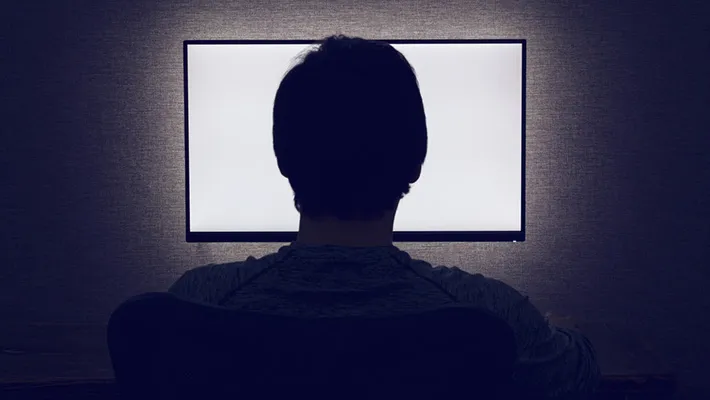
Beyond the Screen: Why Your Smart TV is a Security Liability
When you turn on your TV, you expect to be entertained. You probably don’t expect to be monitored.
In December 2025, the state of Texas filed massive lawsuits against five of the world’s leading TV manufacturers Samsung, Sony, LG, Hisense, and TCL. The allegation? Using “mass surveillance” technology to secretly record what families watch, building profiles on their religious and political beliefs, and even capturing data from connected laptops and gaming consoles.
At Alpha Cyber, we’ve seen how “Smart” features are often just “Spying” features in disguise. Here is the truth about your TV’s privacy and how you can take back control of your living room.
How Your TV Tracks You (Without You Knowing)
Most modern TVs use a technology called Automatic Content Recognition (ACR). This isn’t just a “recommendation” tool; it’s a relentless data-gathering machine.
Screenshot Surveillance: ACR can take “digital fingerprints” or screenshots of your screen as often as every 500 milliseconds.
HDMI Eavesdropping: It doesn’t just track Netflix apps; it can see what you’re doing on a laptop or gaming console connected via HDMI.
The “Always-On” Mic: Voice-activated remotes are often “always listening” for a wake word, potentially capturing private conversations in your home.
Fake “Off” Modes: Some malware and system “glitches” can make a TV look powered down while the microphone and camera remain active.
5 Ways to Lock Down Your TV Privacy Today
You shouldn’t need a computer science degree to watch a movie in peace. Follow these steps to secure your perimeter:
1. Kill the ACR (Automatic Content Recognition)
This is the biggest offender. You must manually opt out in your settings:
Samsung: Settings > Support > Terms & Policies > Viewing Information Services.
LG: Settings > General > Live Plus or AI Recommendation.
Sony/Android TV: Settings > Device Preferences > Usage & Diagnostics.
Vizio: Settings > System > Reset & Admin > Viewing Data.
2. Muzzle the Microphone
If you don’t use voice commands, disable them entirely in the settings menu. For extra security, check if your remote has a physical “mute” button or simply use a standard non-smart remote.
3. Tape the Camera
It sounds “old school,” but even the FBI recommends it. If your TV has a built-in camera, a small piece of black electrical tape or a sliding webcam cover is the only 100% fail-safe way to ensure no one is peeping.
4. The “Dumb TV” Strategy
The most secure way to use a Smart TV is to disconnect it from the Wi-Fi entirely. Instead, use a dedicated streaming device like an Apple TV or a high-end PC, which typically have stricter privacy controls and more frequent security updates than TV manufacturers.
5. Network Segmentation
For businesses and high-security homes, your TV should never be on the same network as your private data. Put your “Smart” devices on a Guest VLAN to prevent a hacked TV from becoming a gateway to your bank accounts or company secrets.
Is Your Network Safe from “Smart” Threats?
The 2025 lawsuits prove that you can’t always trust the hardware you buy. At Alpha Cyber, we specialize in IoT Security Audits and Network Hardening. We identify the “silent” leakers in your home or office from TVs to smart fridges and build a wall between your private life and Big Tech.
“Your living room should be a sanctuary, not a data farm.”
Secure Your Perimeter Today
Concerned about the “smart” devices in your office or home? Alpha Cyber offers a comprehensive Smart Device Privacy Sweep to find and disable hidden tracking.